Give the estimate first, bill it later
Make an estimate with the same parts and labour you would put on a bill, and share it as a PDF on WhatsApp. When the customer agrees and the work is done, convert the estimate into the bill. The items and prices carry over, so nothing is typed twice.
Free on Google Play · Android 7.0 or newer · No card needed
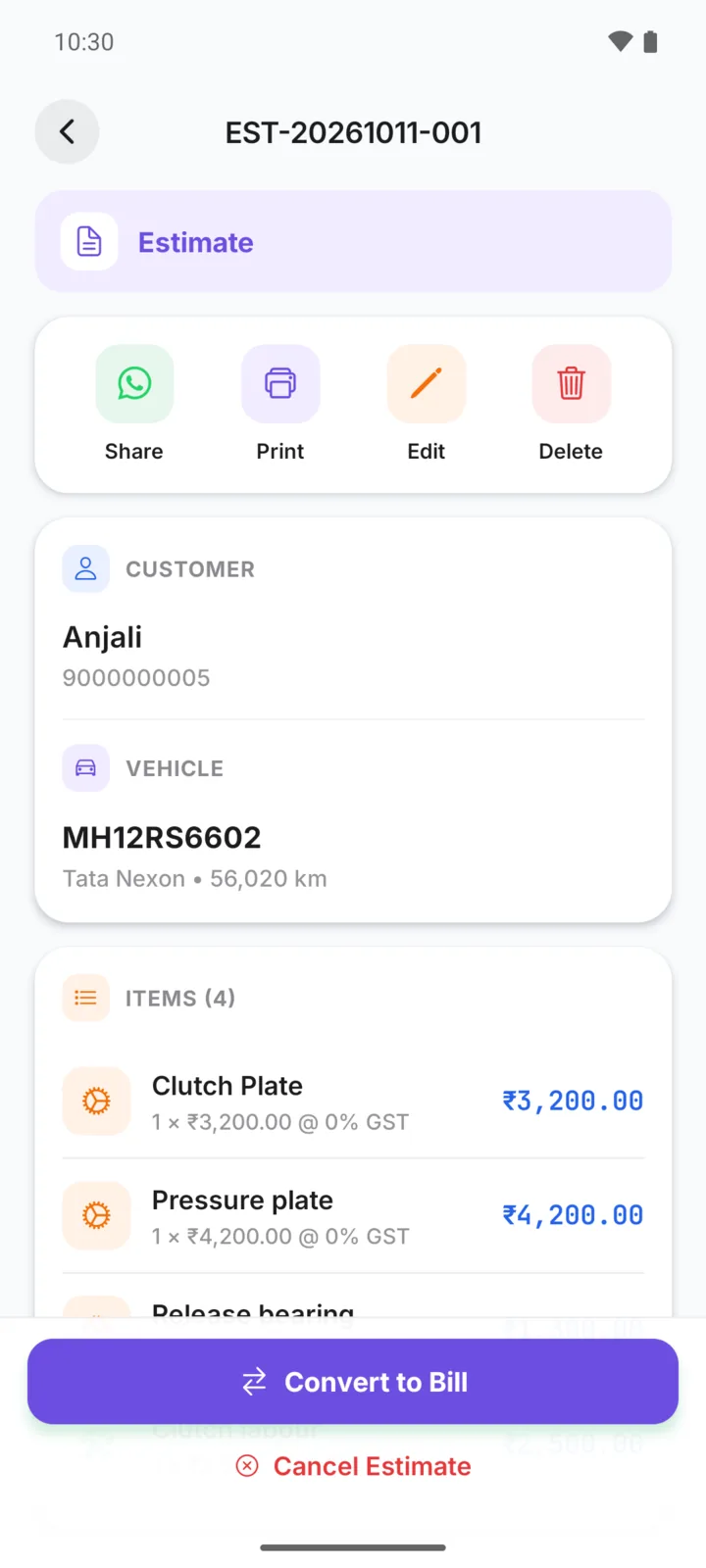
A clutch job on a Nexon
Anjali wants a price before you open the gearbox
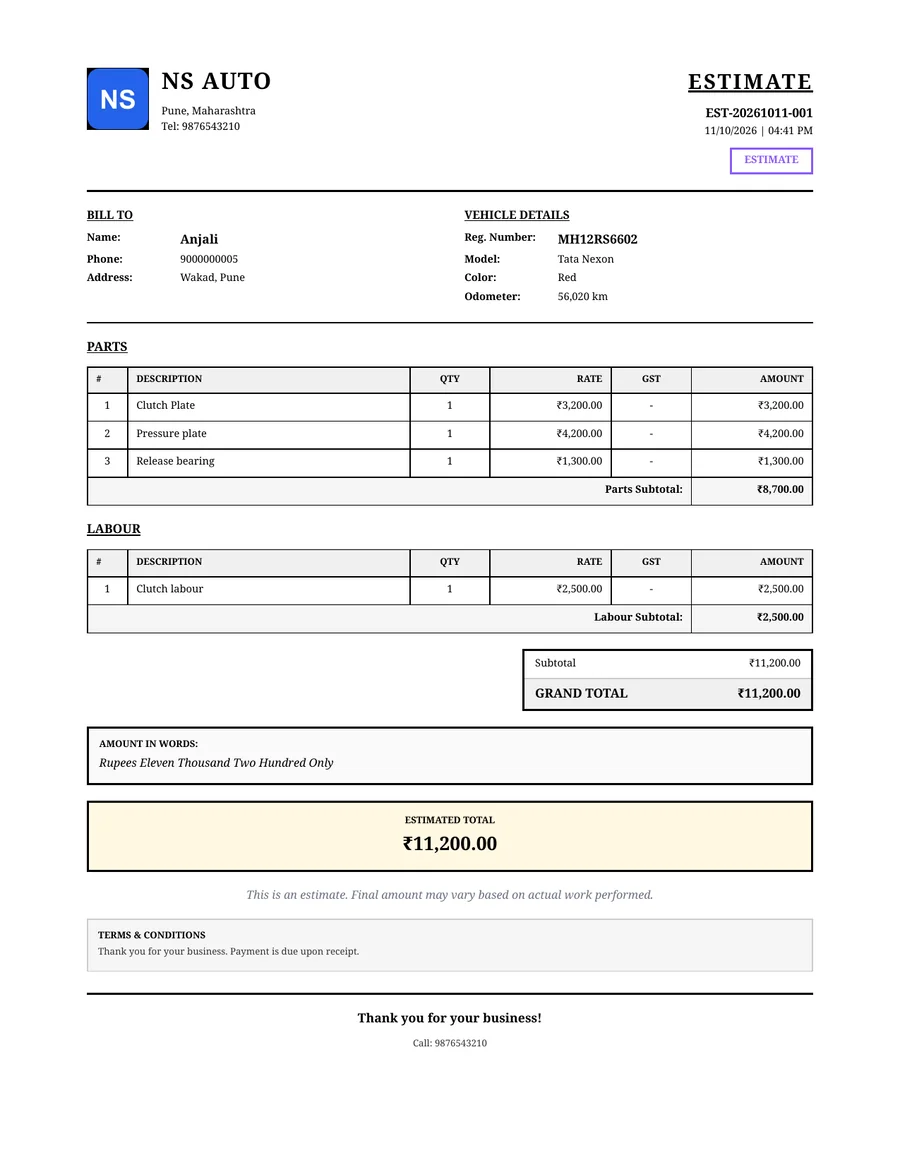
You make an estimate for ₹11,200: the clutch plate from your catalogue, and the pressure plate, release bearing and labour as one-off lines. Share it on WhatsApp.
Anjali says yes. When the car is ready, open the estimate and tap Convert to Bill. The bill has the same four lines, and you can record her payment on it.
From estimate to bill
- Step 01
Make the estimate
Tap New Estimate and add parts and labour, just like a bill.
- Step 02
Share the PDF
Send it on WhatsApp. It is clearly marked as an estimate.
- Step 03
Edit if needed
Remove work the customer declined, or add what you found.
- Step 04
Convert to bill
Confirm, and the estimate becomes a bill with the same items.
An estimate that looks professional
- Marked ESTIMATE, with its own estimate number
- Your garage name, logo and contact details
- Parts and labour listed separately
- The same bill design you use for your bills
- Stock is not touched until it becomes a bill
On Android and on the web
New Estimate is on the home screen. Share, edit and convert from the estimate screen.
Make, share and convert estimates in the web app too, with the same account.
Questions garage owners ask
Is an estimate the same as a bill?
Can I change the estimate before it becomes a bill?
What happens when I convert an estimate?
Can the customer approve the estimate in the app?
How-to guides
Popular with these garage types
Related features
Send your next estimate on WhatsApp
GarageBilling is completely free. Download the Android app, or sign in on the web from your computer.
