GST bills, or no GST at all
Set the GST rate on each part and service once. If you are GST-registered, add your GSTIN in garage settings and your bills become tax invoices that show the taxable value with CGST and SGST. If you are not registered, keep items at No GST and no tax is added.
Free on Google Play · Android 7.0 or newer · No card needed
The same job, with and without GST
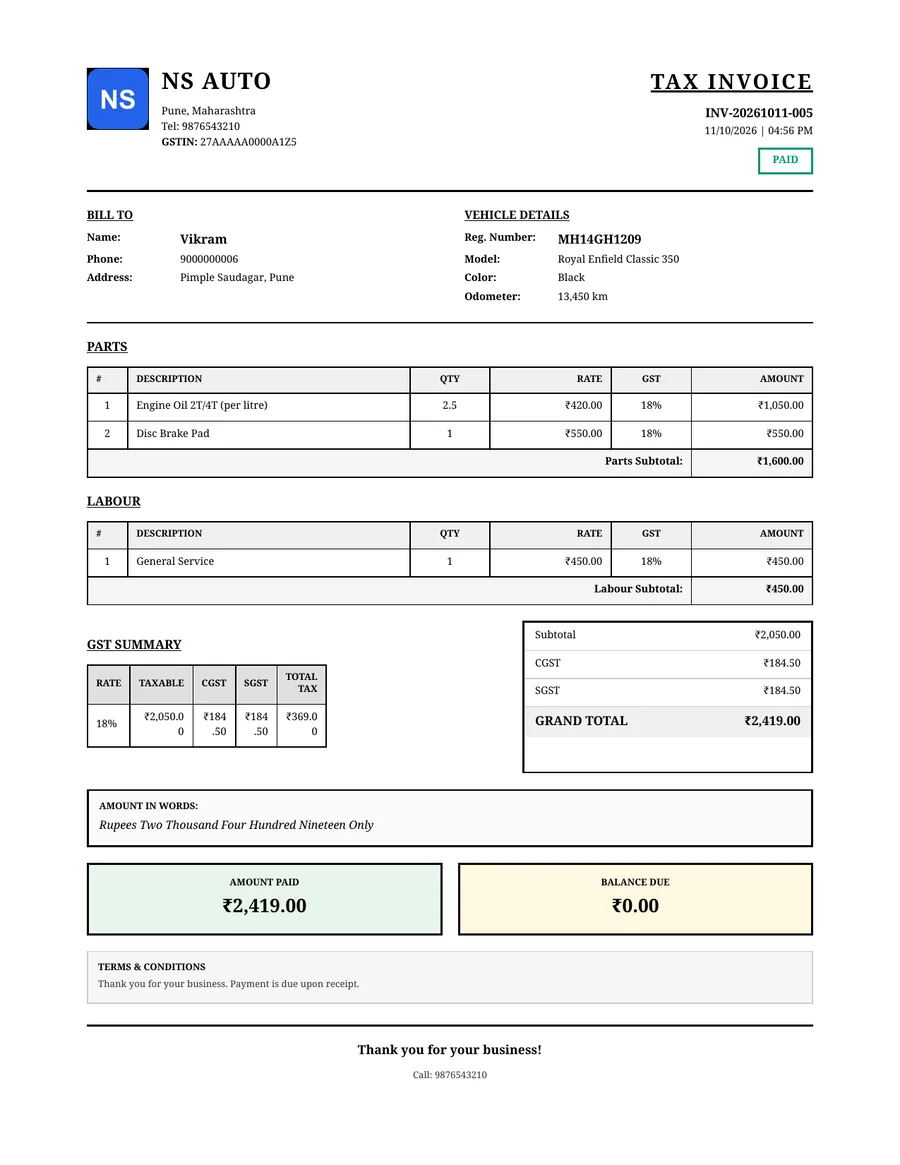
₹2,050 of work, ₹369 of GST
In this example every line on Vikram's bill is set to 18%. GarageBilling adds 18% on the ₹2,050 taxable value and splits it into ₹184.50 CGST and ₹184.50 SGST, so he pays ₹2,419.
For a garage that is not registered, the same three items at No GST make a ₹2,050 bill with no GST added.
Example only. GST rates depend on the part or service; confirm yours with your accountant. GarageBilling does the arithmetic, not the tax classification.
Setting up GST
- Step 01
Add your GSTIN
In garage settings. It prints on your bills, which are then titled Tax Invoice.
- Step 02
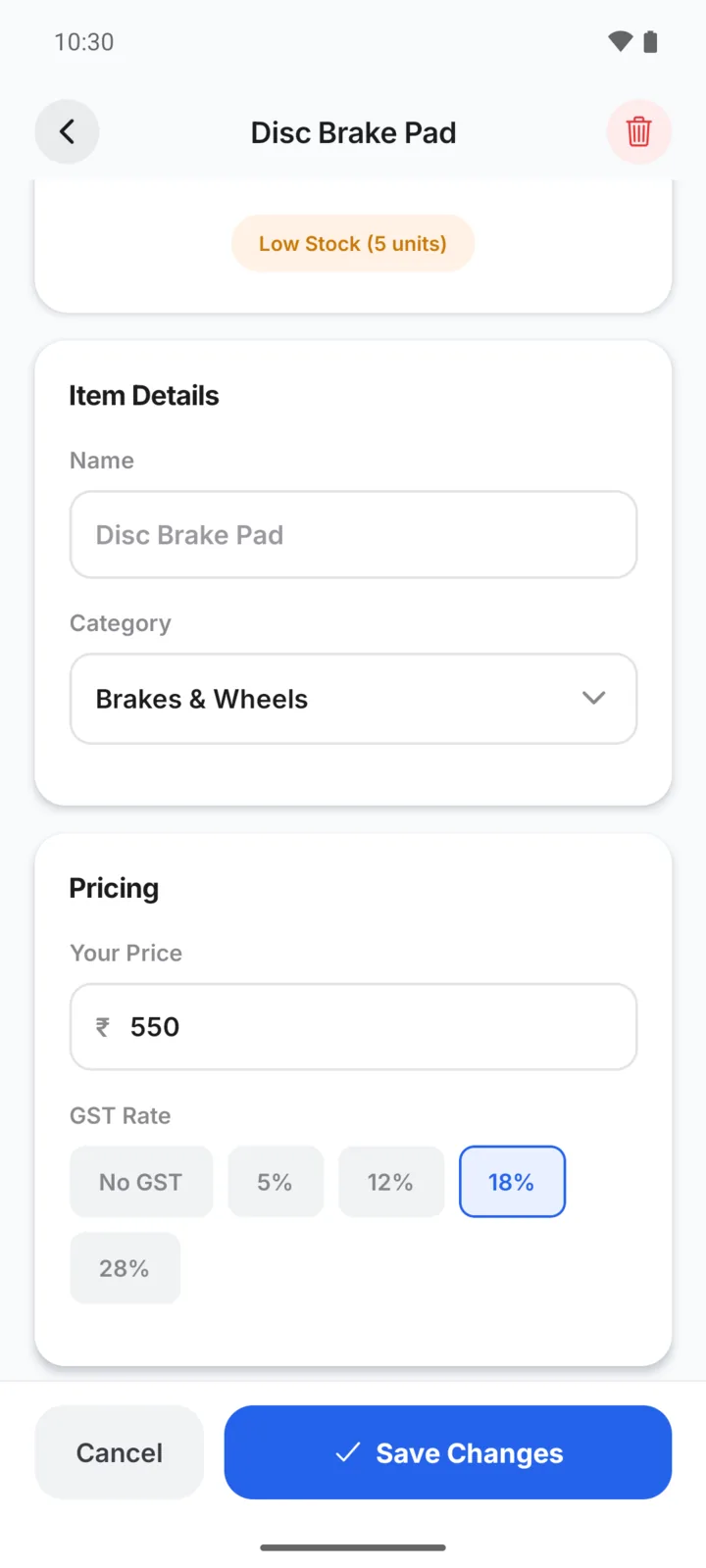
Set each item's rate
Give each part and service the GST rate that applies, or No GST.
- Step 03
Make the bill as usual
GST is worked out line by line as you add items.
- Step 04
Check the GST report
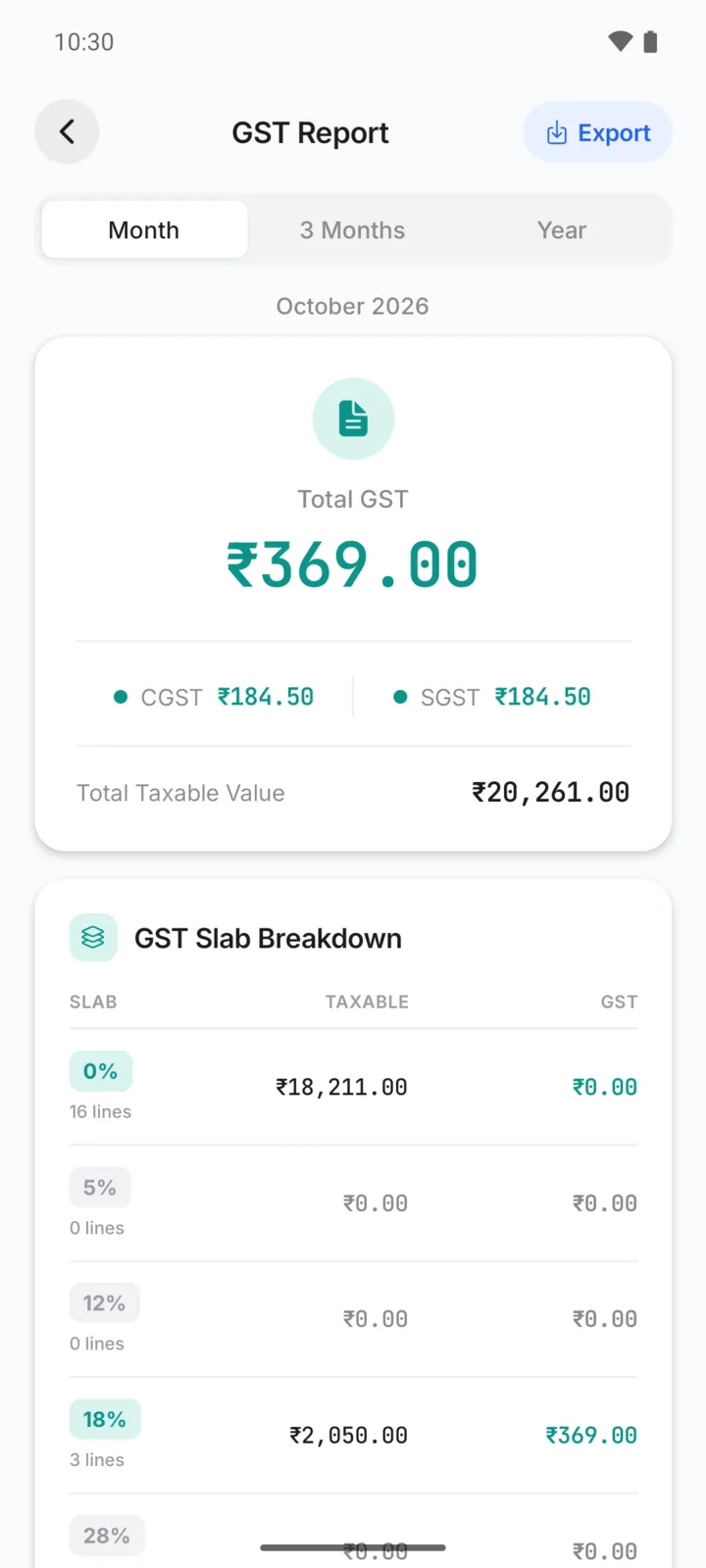
See taxable value, CGST and SGST for this month, three months or the year.
What the GST bill shows
- Your GSTIN under the garage name
- GST rate on every line, and a GST summary by rate
- Taxable value, CGST and SGST
- The total including GST
GST report for your accountant
Reports → GST report shows the GST you have billed, split into CGST and SGST, with the taxable value at each rate, for this month, the last three months or the year. Export it as PDF or CSV and share it with your accountant.
On Android and on the web
Set GST on items, make GST and non-GST bills, and see the GST report.
The same GST settings, bills and GST report are in the web app with the same account.
Questions garage owners ask
My garage is not registered for GST. Can I still use GarageBilling?
Which GST rates can I pick?
Does GarageBilling support IGST, e-invoicing or GST filing?
Is the GST added on top of the price?
How-to guides
Popular with these garage types
Related features
Make your next bill GST-ready
GarageBilling is completely free. Download the Android app, or sign in on the web from your computer.
