Follow up on service and dues without writing every message
Add a service or payment reminder for a customer's vehicle with a due date. GarageBilling lists what is due and overdue, and opens WhatsApp or a phone call with one tap. The message is already written with the customer's name, vehicle and date; you just send it.
Free on Google Play · Android 7.0 or newer · No card needed
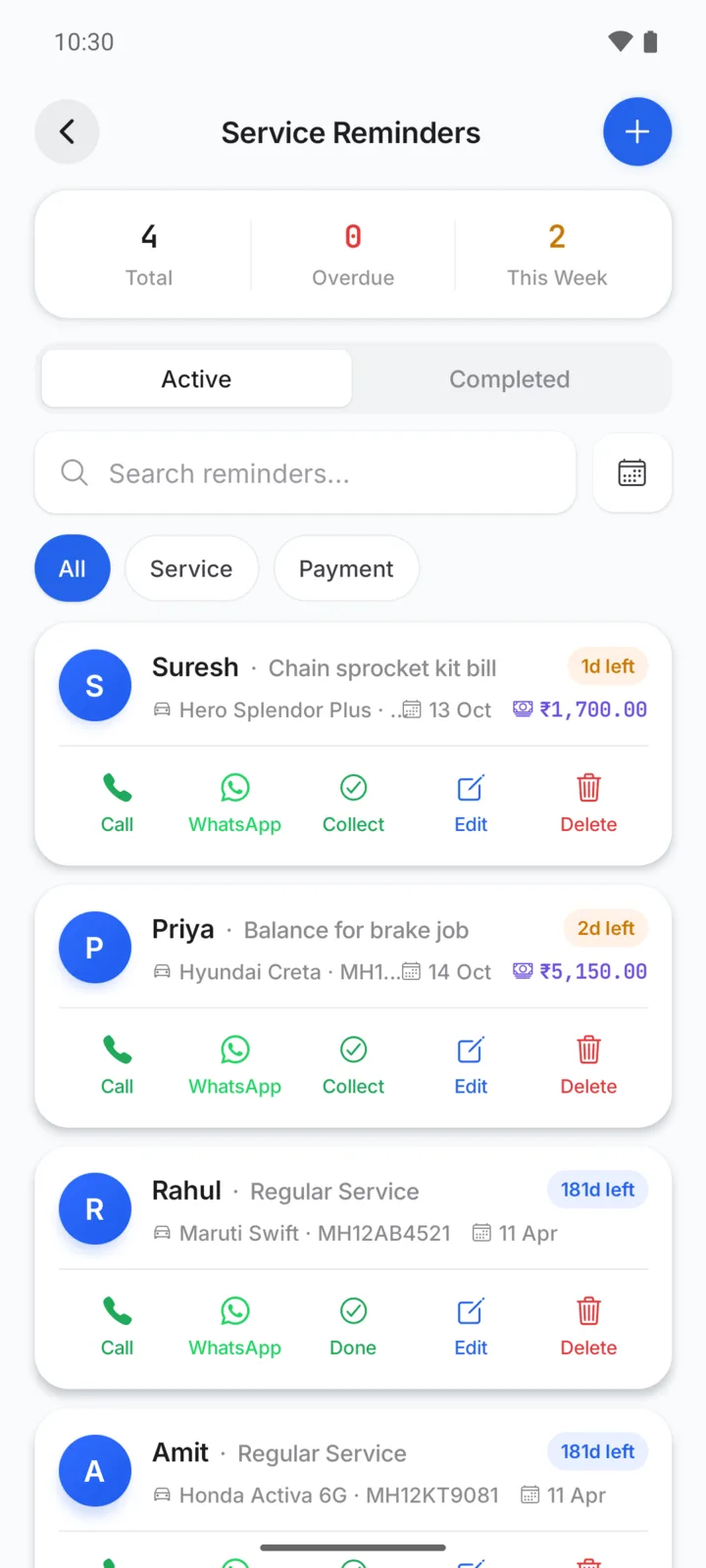
Service reminders and payment reminders
The message is ready when you open WhatsApp
This is the standard service message, filled in for Rahul. Payment reminders work the same way with the amount pending, for example: “Hi Suresh, a gentle reminder from NS Auto: ₹1,700 is pending for Hero Splendor Plus (MH12PL3345)…”.
- Service reminders for the next oil change or general service, with an optional next-service km
- Payment reminders for a balance a customer still has to pay
- Due and overdue lists, so you see who to contact today
- Call or WhatsApp buttons on every reminder
- Mark done, restore, or remind again later
Setting a reminder
- Step 01
Add the reminder
Pick the customer and vehicle, choose service or payment, and set the date. On Android you can also add it while making the bill.
- Step 02
Check what is due
The Reminders screen shows what is due and overdue first.
- Step 03
Tap WhatsApp or Call
WhatsApp opens with the message written for that customer. Check it and tap Send.
- Step 04
Mark it done
Once you have followed up, mark it done, or set it to remind you again.
Write the message once, in your style
On the Android app you can rewrite the service and payment messages in Settings. Use placeholders for the customer, garage, vehicle, service, date and amount, and GarageBilling fills them in for each reminder.
You can preview the message and reset it to the standard text any time.
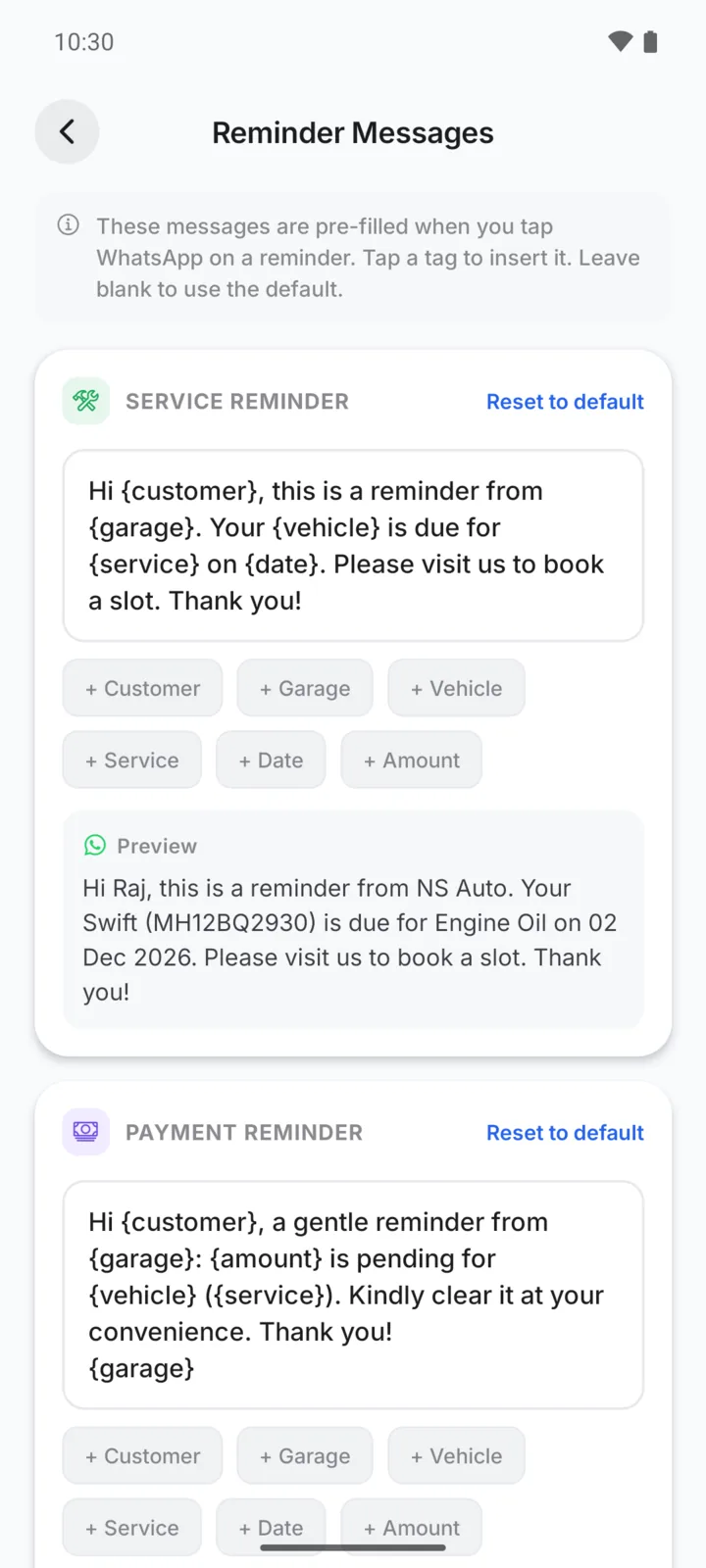
On Android and on the web
- Service and payment reminders with Call and WhatsApp buttons
- Add a service reminder while making a bill, when a vehicle is selected
- Edit the reminder messages in Settings
- The same reminder list, with Call and WhatsApp actions
- Messages use the standard text (editing is on Android)
Questions garage owners ask
Does GarageBilling send reminders to customers automatically?
Can I change the reminder message?
Can it remind me when the vehicle reaches the next service kilometres?
Does marking a payment reminder done mark the bill as paid?
How-to guides
Popular with these garage types
Related features
Bring customers back on time
GarageBilling is completely free. Download the Android app, or sign in on the web from your computer.
