Send the garage bill on WhatsApp
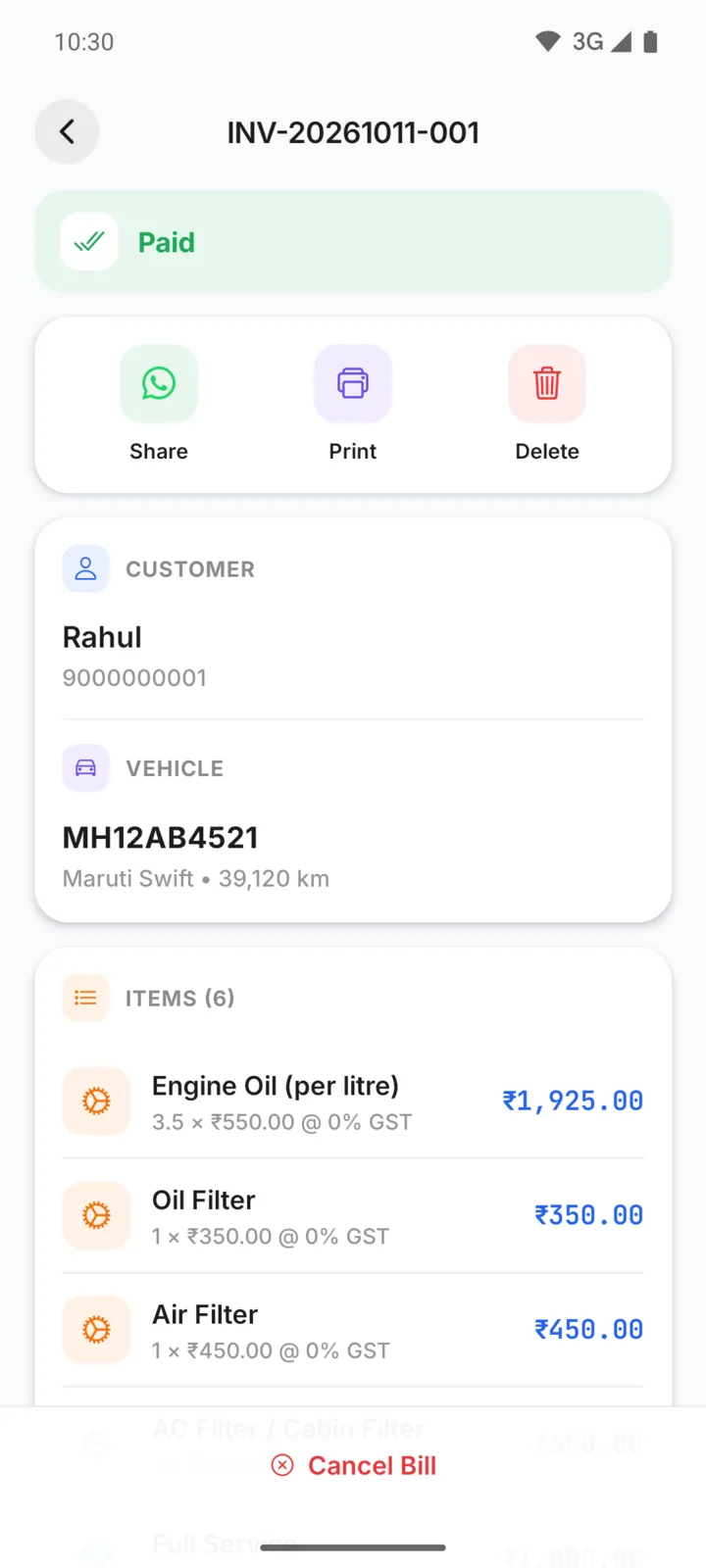
Make the bill in GarageBilling, tap Share, pick WhatsApp and your customer's chat, and send. The customer gets a clean PDF with your garage name, the parts and labour, any GST, the total and what is still due.
Free on Google Play · Android 7.0 or newer · No card needed
From bill to WhatsApp in four steps
- Step 01
Make the bill
Pick parts and labour from your price list, add the customer and vehicle, and save the bill.
- Step 02
Tap Share
On the bill screen, tap Share. GarageBilling makes the PDF from the saved bill.
- Step 03
Choose WhatsApp and the chat
Your phone's share menu opens. Pick WhatsApp (or WhatsApp Business) and the customer.
- Step 04
Send it yourself
The PDF is attached in the chat. Add a line if you want, then tap Send.
A bill that looks like it came from a proper garage
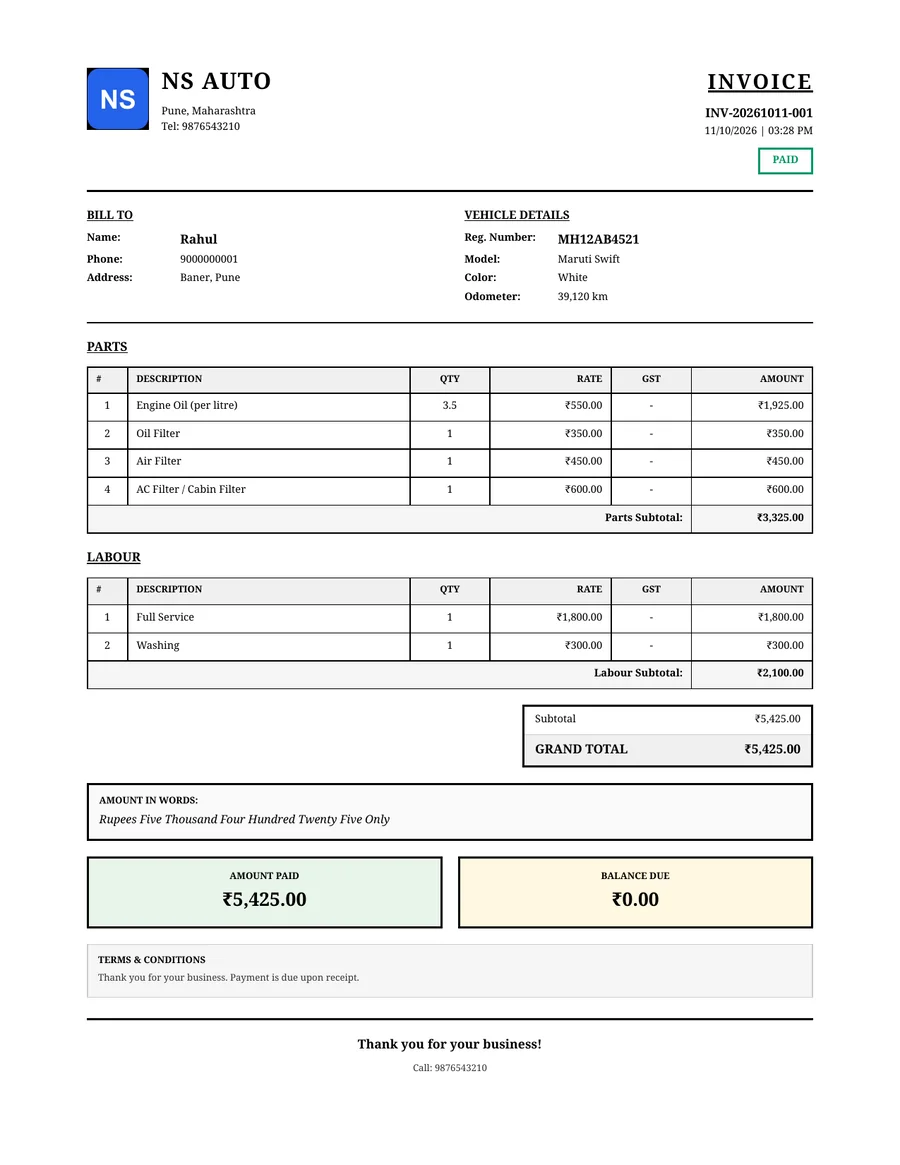
Every PDF is built from your garage settings and the saved bill. You choose one of four built-in bill designs (Modern, Classic, Minimal or Detailed) and add your logo once.
- Your garage name, logo, address and phone number at the top
- Bill number, date, customer name and vehicle number
- Parts and labour listed separately, with quantities and prices
- GST and the CGST/SGST split, only if you bill with GST
- Total, amount paid and balance due
- Your terms or a note at the bottom, if you set one
How sharing works on Android and on the web
The share menu opens straight from the bill. You choose WhatsApp and the customer, then tap Send.
You can share any old bill again, or print it from the same screen.
On a computer, the PDF downloads and WhatsApp opens. You attach the downloaded file in the chat and send it.
On a phone browser, the browser's own share option may let you send the file directly.
Questions garage owners ask
Does my customer need to install GarageBilling?
Does GarageBilling send the bill automatically?
Can I send an old bill again?
Does it work with WhatsApp Business?
Can I print the bill instead?
How-to guides
Popular with these garage types
Bills, payments and follow-ups
Send your next bill on WhatsApp
GarageBilling is completely free. Download the Android app, or sign in on the web from your computer.
