Know who paid and who still owes
Record every payment against its bill: the full amount or part of it, by cash, UPI, card or bank transfer. GarageBilling keeps the balance on each bill and lists all pending dues (udhaar) in one place, so you know exactly whom to follow up with.
Free on Google Play · Android 7.0 or newer · No card needed
A brake job, paid in two parts
Priya pays ₹5,000 now and the rest later
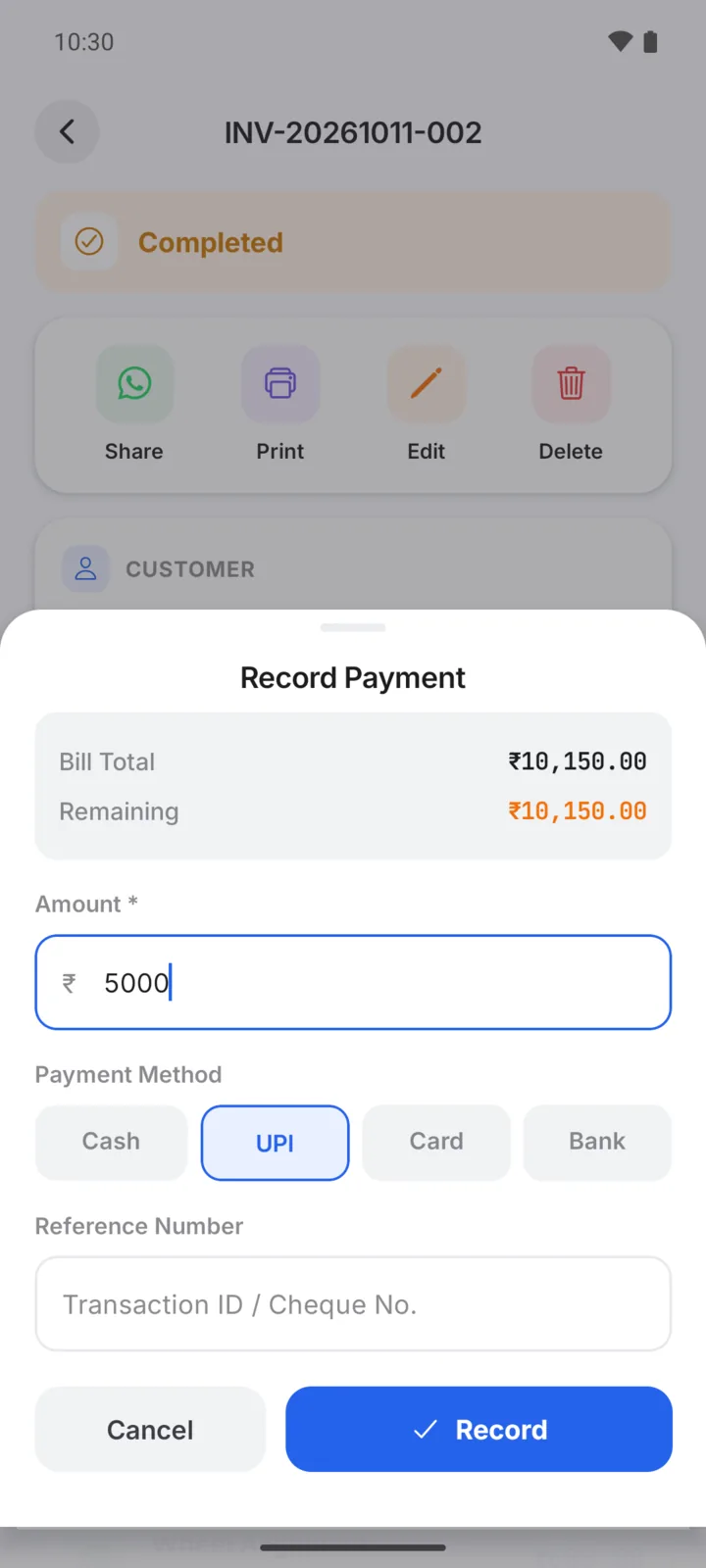
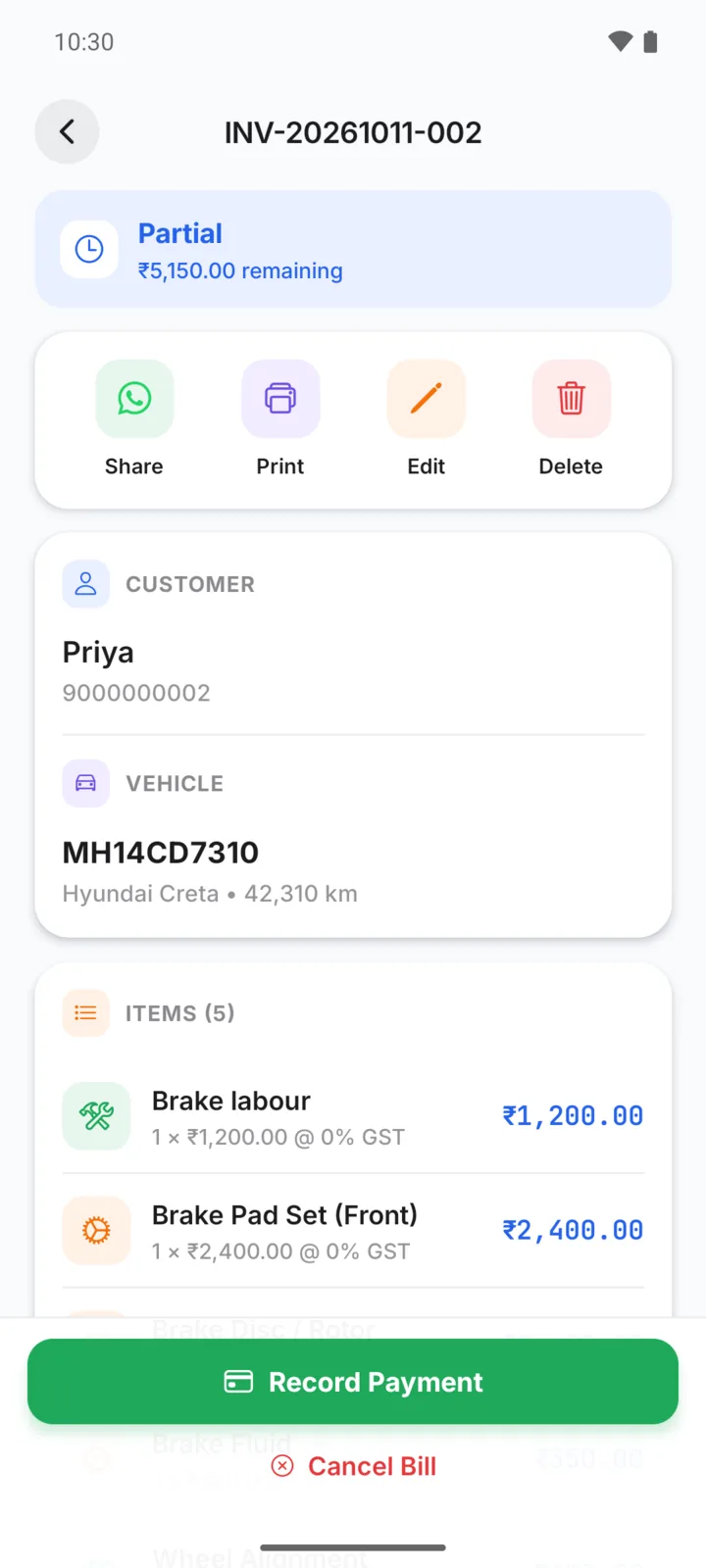
The bill comes to ₹10,150. Priya pays ₹5,000 by UPI at delivery. You open the bill, tap Record Payment, enter ₹5,000 and pick UPI. The bill now shows Partial with ₹5,150 remaining.
When she pays the balance, record it the same way and the bill turns Paid. Both payments stay in the bill's payment history.
Recording a payment
- Step 01
Open the bill
From the Bills tab, or from the customer's page.
- Step 02
Tap Record Payment
Enter the amount received. It can be the full balance or just part of it.
- Step 03
Pick the method
Cash, UPI, card or bank transfer, so your records show how the money came in.
- Step 04
See the balance
The bill shows Paid or Partial, and the amount still due. Unpaid bills stay in your pending list.
Every unpaid bill in one list
The Pending payments report lists every unpaid and part-paid bill with the amount due, so you can see the oldest dues first and decide whom to call.
- Total pending across all bills, at the top
- Sort by oldest, highest amount or most recent
- Each customer's page shows their dues as well
- Send a payment reminder on WhatsApp with the amount filled in
GarageBilling records payments; it does not take payments or check your bank. Collected money and billed amounts are shown separately, so you can see both. How payment reminders work →
On Android and on the web
Record payments from the bill screen, see dues on each customer, and open the Pending payments report under Reports.
The same bills, payments and pending report are in the web app on your computer, with the same account.
Questions garage owners ask
Does GarageBilling collect money from my customers?
Can a customer pay one bill in parts?
Where do I see who still owes money?
If I mark a payment reminder as done, is the bill marked paid?
How-to guides
Popular with these garage types
Follow up and keep records
Stop losing track of udhaar
GarageBilling is completely free. Download the Android app, or sign in on the web from your computer.
