Stop writing the same parts and prices on every bill
GarageBilling starts with a catalogue of parts and labour for your type of garage. Set your prices once, then make each bill by picking items from the list, adjusting quantities and adding anything unusual as a one-off line. Save it as a draft, an estimate or a final bill.
Free on Google Play · Android 7.0 or newer · No card needed
Making a bill
- Step 01
Choose the customer and vehicle
Search by name or phone, or add a new one. On Android you can skip this for a walk-in.
- Step 02
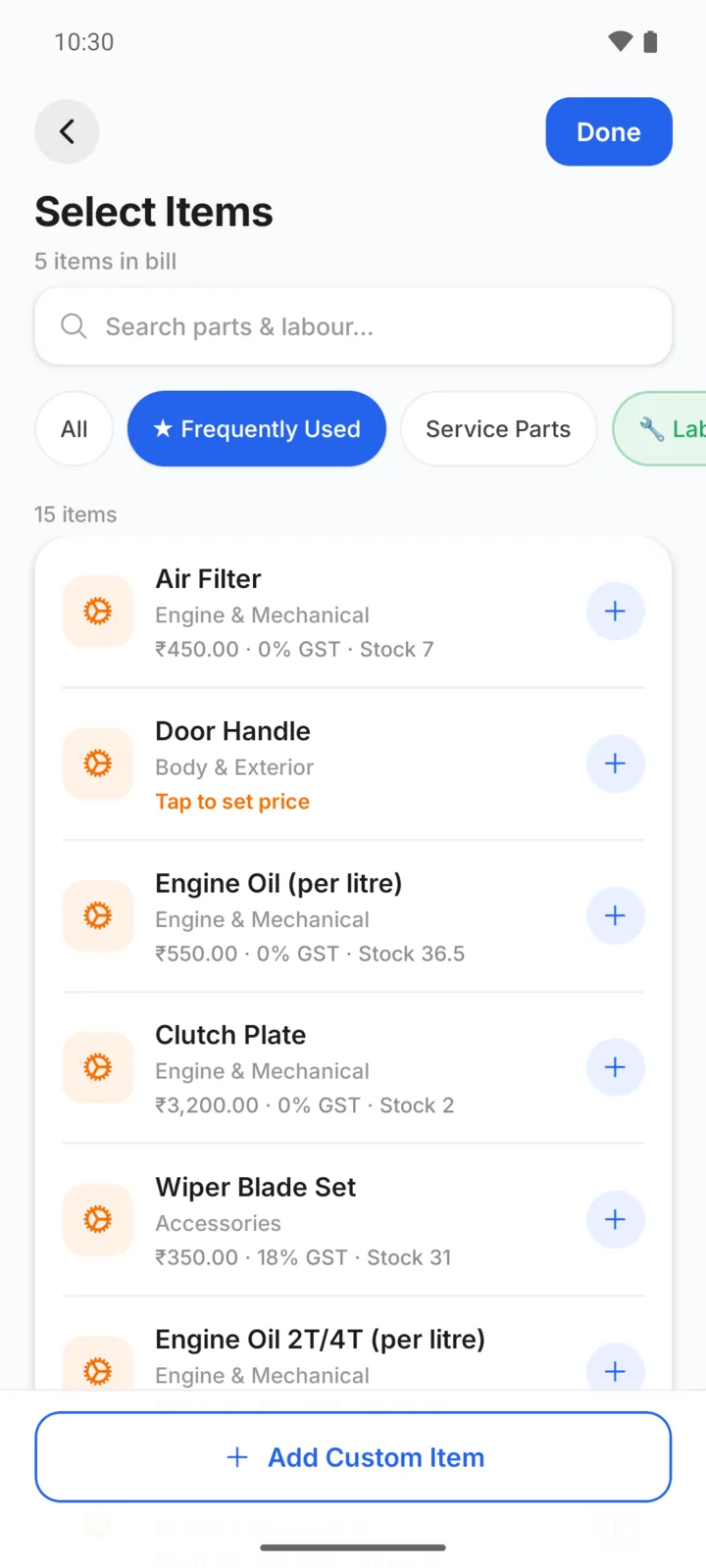
Pick parts and labour
Search your catalogue by name or code. Your saved price fills in.
- Step 03
Adjust the lines
Change quantities (3.5 litres of oil works), add a one-off item, a discount or a note.
- Step 04
Save and share
Save as a bill, then share the PDF on WhatsApp or print it.
A periodic service for a Swift
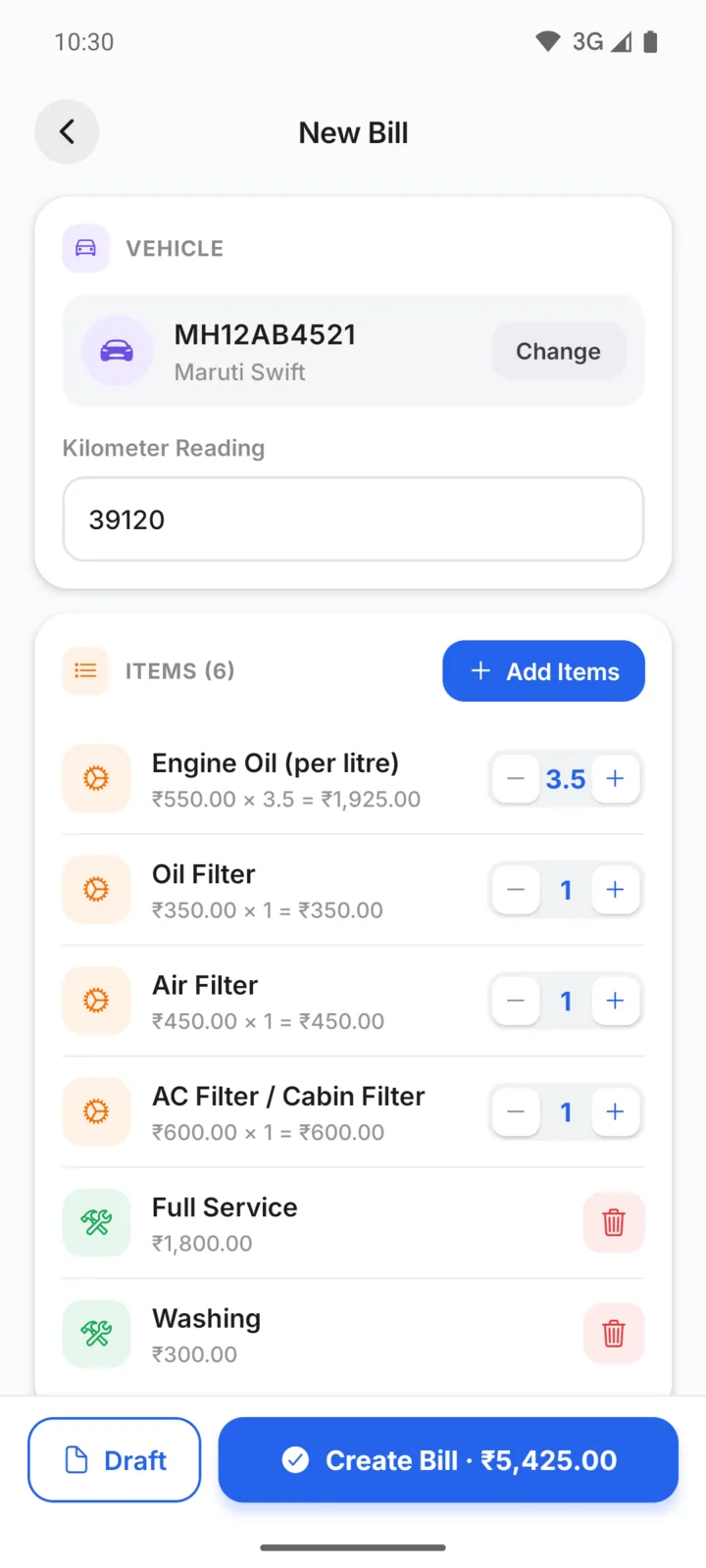
Six lines, all from the catalogue
Every item on Rahul's bill comes from the Car Repair Workshop list, with the prices NS Auto saved. Engine oil is billed by the litre, so 3.5 litres works out to ₹1,925 on its own.
Parts and labour are listed separately on the bill. The finished bill is saved under Rahul's Swift, so next time you can see exactly what was done.
A catalogue that fits your garage
- Pick one or more garage types; mixed car and bike garages can choose both
- Turn off the items you never use, and add your own items and categories
- Saved prices fill in on every bill
- One-off lines for unusual work, without adding them to your list
- Flat or percentage discount, plus notes on the bill
- Drafts for jobs still in progress
Four bill designs, with your garage details
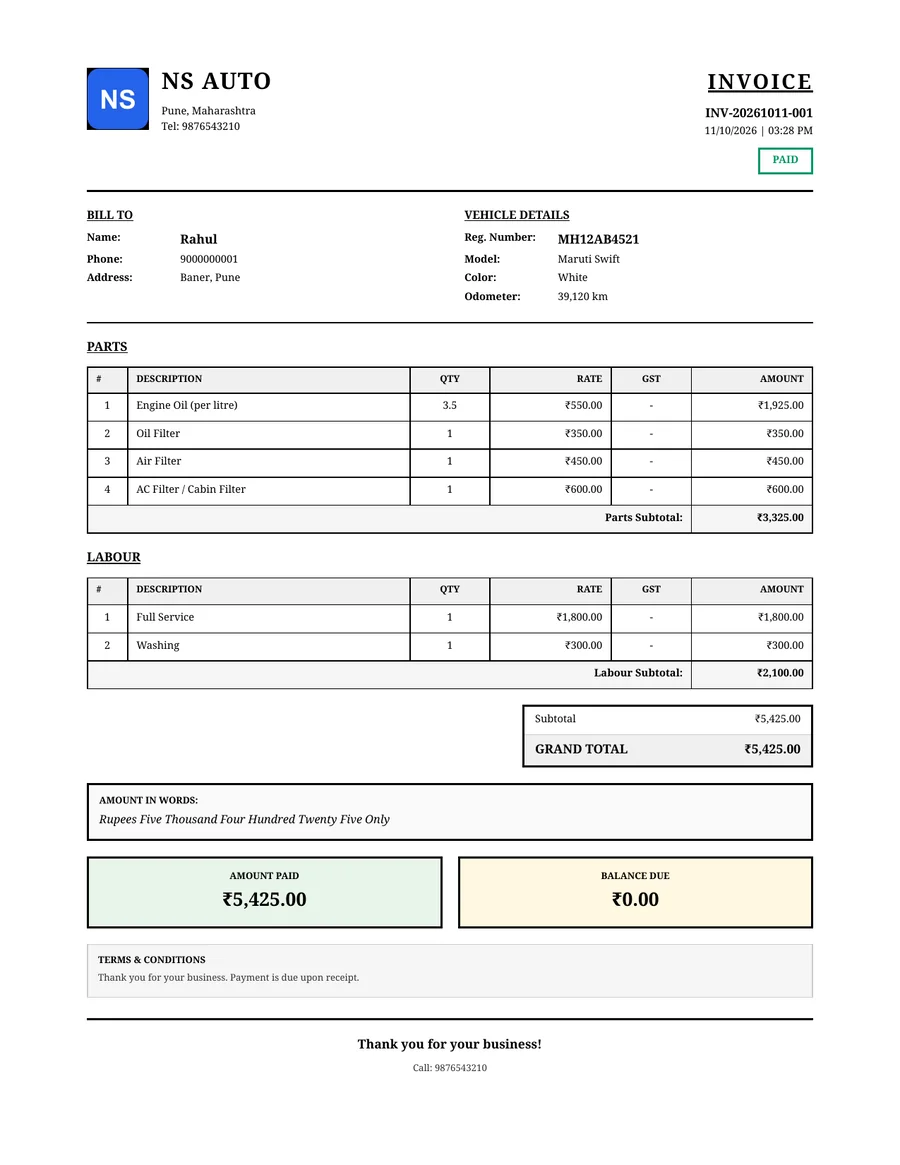
Choose Modern, Classic, Minimal or Detailed. Each shows your logo, garage name and contact details, the bill number and date, the customer and vehicle, the parts and labour, any GST, and what has been paid.
Share it as a PDF on WhatsApp, or print it. See WhatsApp bills for how sharing works.
On Android and on the web
- Catalogue filtered to your garage type
- Search your items by name or code
- Walk-in bills without a customer or vehicle
- Make the same bills on a bigger screen, with the same account
- Import your item list from Excel or CSV
- Each bill needs a customer and vehicle
Questions garage owners ask
Do I have to type every part and service myself?
If I change a price while making a bill, is it saved for next time?
Can I bill a walk-in customer without adding their details?
Can I give a discount?
Can I put my logo on the bill?
How-to guides
Popular with these garage types
Related features
Make your first bill free
GarageBilling is completely free. Download the Android app, or sign in on the web from your computer.
