Bill design, logo and terms
How to put your logo, garage details and terms on GarageBilling bills, choose one of the four bill designs, and set the bill number prefix and file name.
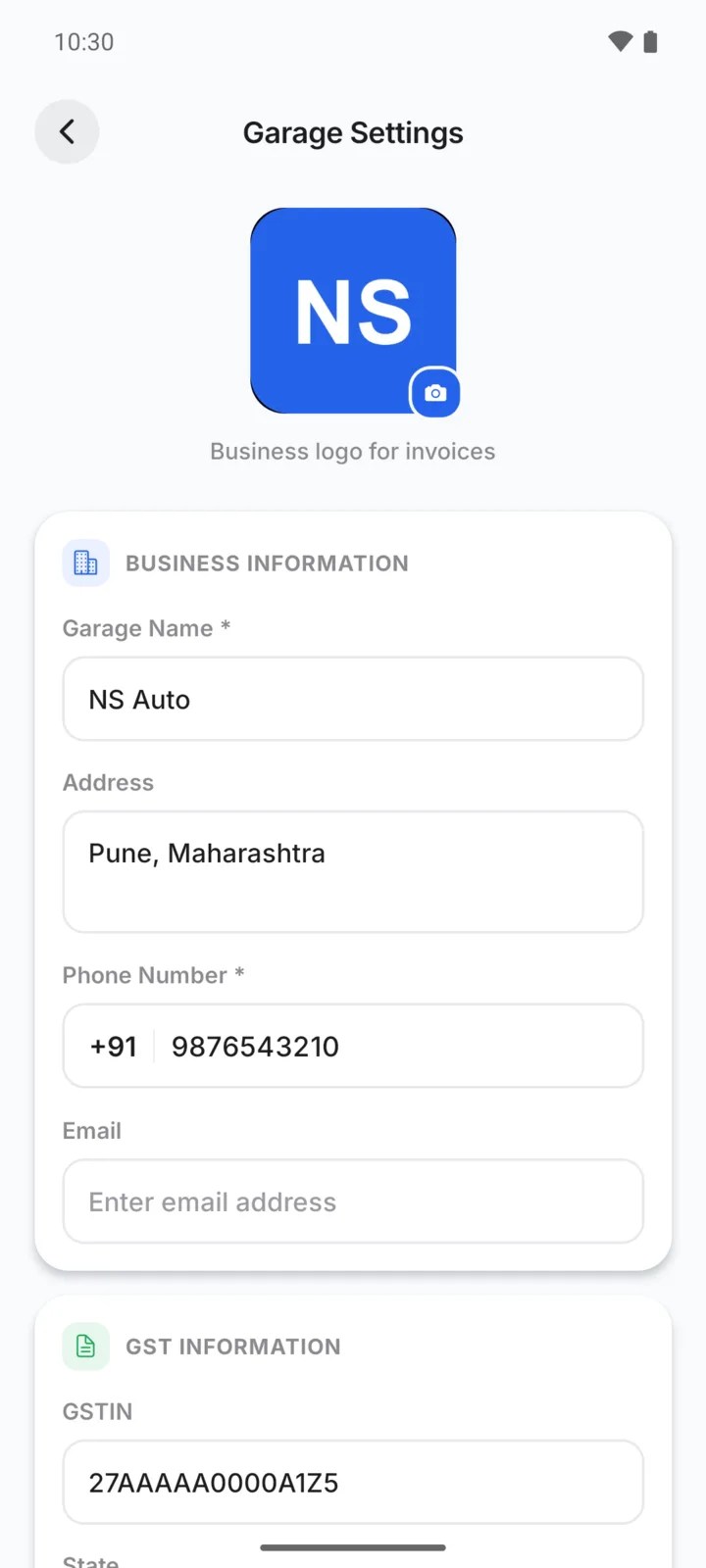
Everything printed at the top and bottom of your bills comes from one screen: Settings → Garage Settings. To open Settings, tap your initial at the top right of the Home screen. Change what you need, then tap Save Changes. New and old bills use the new details the next time you share or print them.
Your logo
Tap the logo box at the top of Garage Settings and choose a picture from your phone. Square logos look best. Without a logo, the bill shows the first letter of your garage name.
Garage details
Under Business Information:
- Garage Name (required)
- Address
- Phone Number (required)
These print at the top of every bill, and the phone and email also print at the bottom.
Under GST Information, add your GSTIN and State if your garage is registered for GST. With a GSTIN saved, your bills are titled Tax Invoice. See GST on bills.
Choose a design
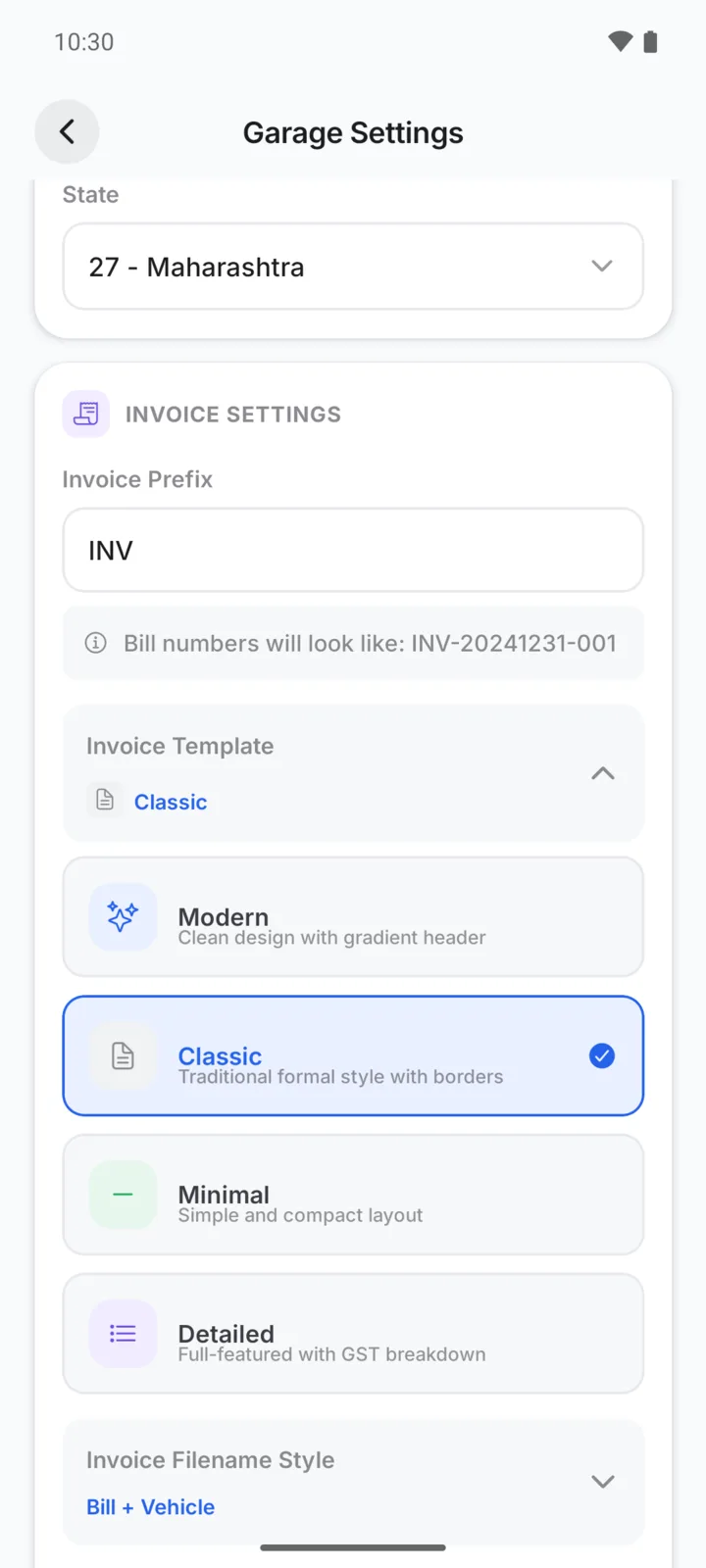
Under Invoice Settings, tap Invoice Template and pick one:
| Design | Looks like |
|---|---|
| Modern | Clean design with a coloured header |
| Classic | Traditional formal style with borders |
| Minimal | Simple and compact |
| Detailed | Full layout with a GST breakdown |
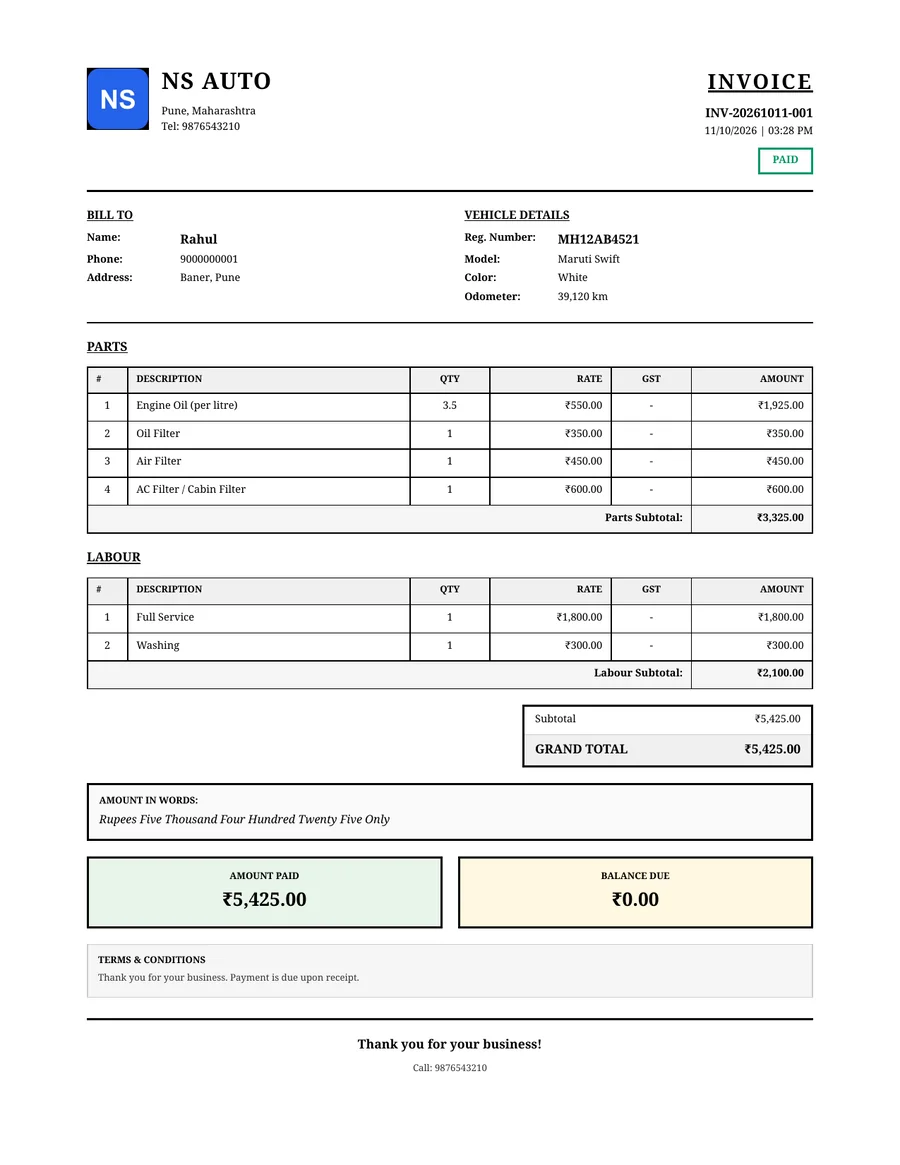
All four show the same information: your details, the customer and vehicle, parts and labour, totals and what has been paid. This is the Classic design:
Bill numbers
Invoice Prefix sets the letters at the start of every bill number. With the prefix INV, bills are numbered like INV-20261011-001: the prefix, the date, and the bill's number for that day. Estimates always start with EST.
The PDF's file name
Invoice Filename Style sets the name of the PDF file when you share it, for example the bill number and vehicle number. Choose Custom to build your own from tags such as the bill number, customer, vehicle, date and garage name. You can still change the name each time in the Share Invoice box.
Terms and conditions
Invoice Terms & Conditions prints at the bottom of every bill, such as your payment terms or warranty on work. If you leave it empty, bills say "Thank you for your business. Payment is due upon receipt."