What a bill includes
Every part of a GarageBilling PDF bill explained, from the garage details and bill number to parts, labour, GST and the amount due.
When you share or print a bill, GarageBilling makes a PDF with your garage's details and everything about the job. This page walks through it using Rahul's Swift service bill in the Classic design. The other designs show the same information laid out differently.
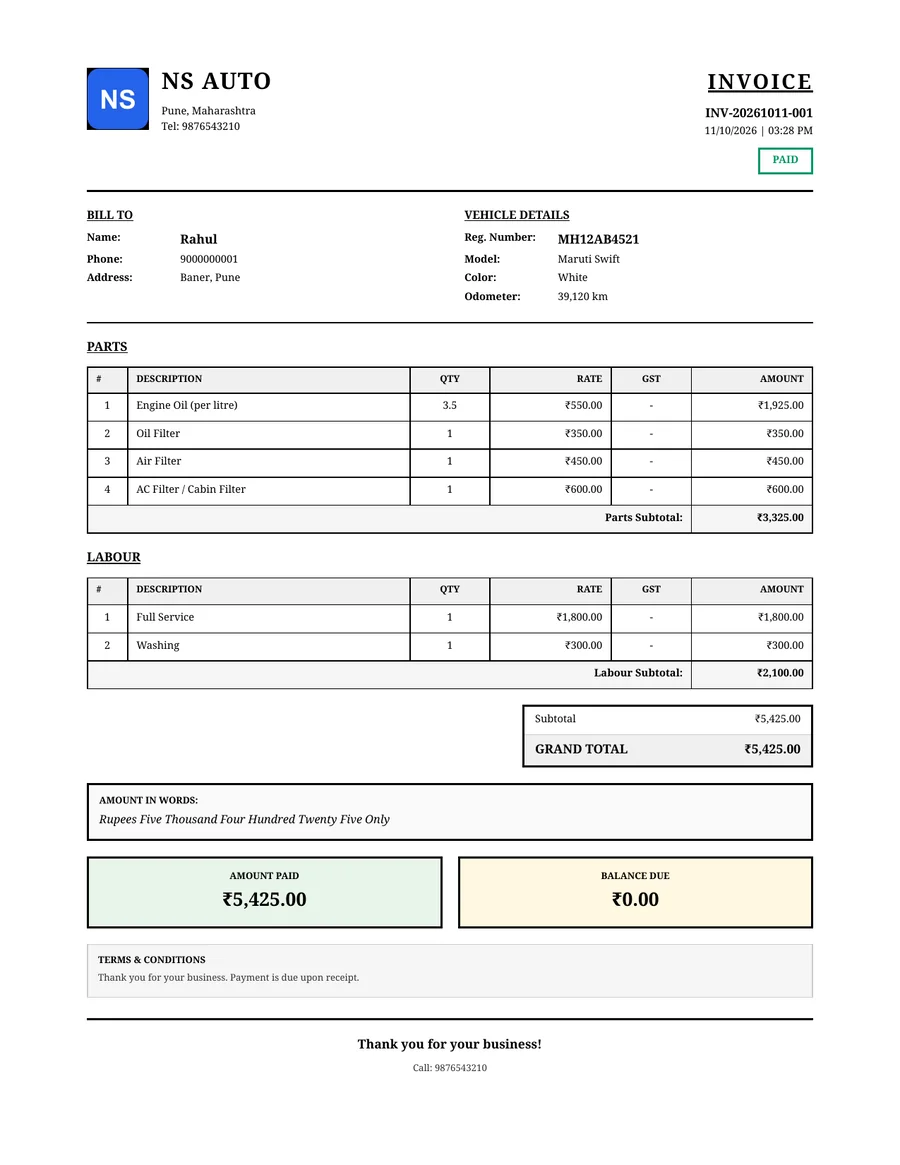
From top to bottom
Your garage
- Your logo (or the first letter of your garage name if you have not added one), garage name, address, phone and email. Fill these in under Settings → Garage Settings.
- Your GSTIN, if you have saved one.
Title, number and date
- The title is INVOICE. If your garage has a GSTIN saved, it is TAX INVOICE. Estimates are titled ESTIMATE.
- The bill number, such as INV-20261011-001: your prefix, the date, and a number for that day.
- The date and time the bill was made, and its status: Paid, Unpaid, Partial, Draft or Cancelled.
Bill to and vehicle details
- The customer's name, and their phone and address if saved.
- The vehicle number and model, and its colour and odometer reading if saved.
- A walk-in bill without a customer or vehicle leaves these out.
Parts and labour
- Two separate tables, Parts and Labour, each with the quantity, rate, GST and amount for every line, and a subtotal.
- If you saved an HSN or SAC code on one of your own items, it is printed under that item's name.
Totals
- Subtotal, then CGST and SGST if the bill has GST, then any discount, then the Grand Total.
- The total written in words, for example "Rupees Five Thousand Four Hundred Twenty Five Only".
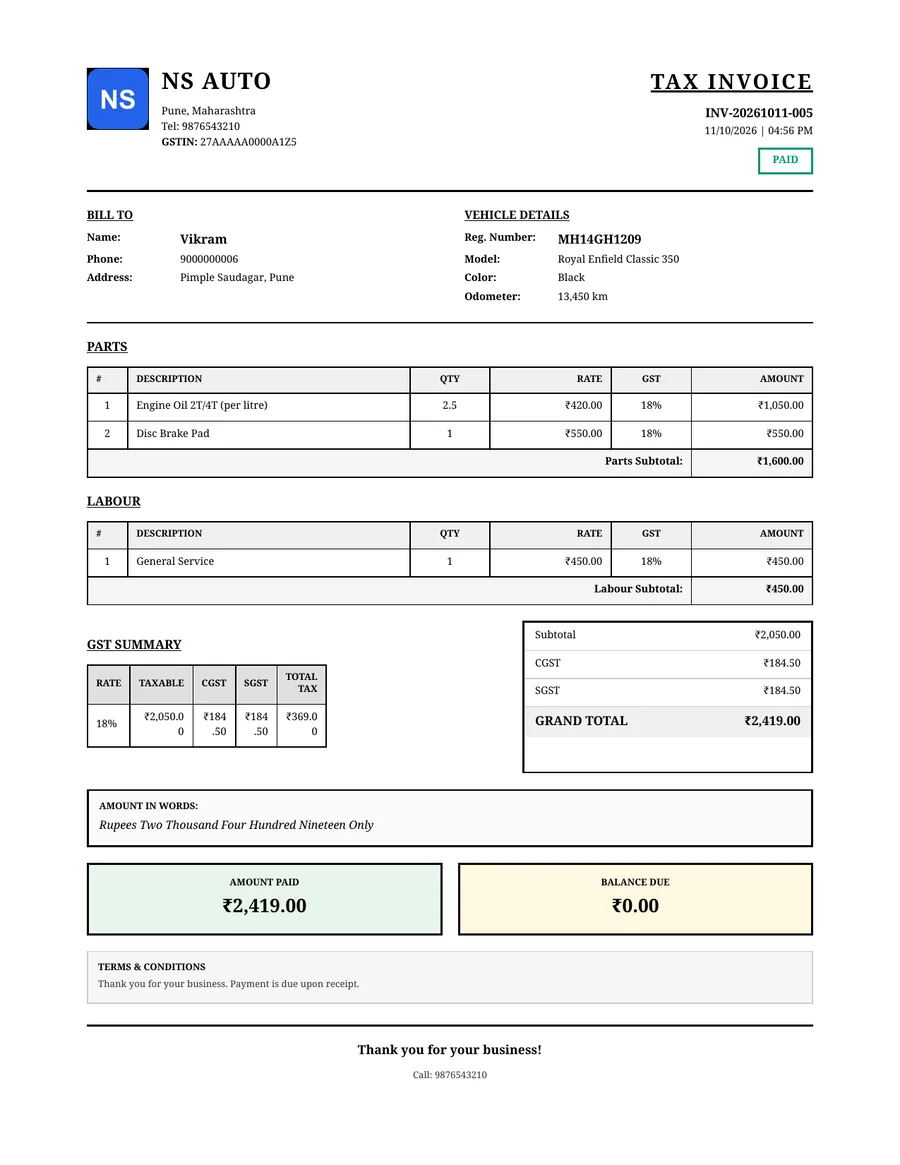
- On a GST bill from a garage with a GSTIN, a GST Summary table splits the tax by rate. See GST on bills.
Payment
- Amount Paid and Balance Due, so the customer can see what is left to pay.
- An estimate shows the Estimated Total instead, with a note that the final amount may vary.
Notes and terms
- Any notes you added to the bill.
- Your Terms & Conditions. If you have not written your own, it says "Thank you for your business. Payment is due upon receipt."
Drafts and cancelled bills
A draft's PDF has DRAFT written across it, and a cancelled bill has VOID, so neither can be mistaken for a final bill.
A GST bill
This is Vikram's bill from a garage with a GSTIN, so it is titled Tax Invoice and shows the GST summary.
Related
Bill statuses
What Draft, Estimate, Unpaid, Partial, Paid and Cancelled mean on a GarageBilling bill, and what you can do with each.
Bill design, logo and terms
How to put your logo, garage details and terms on GarageBilling bills, choose one of the four bill designs, and set the bill number prefix and file name.