Reminders
How to set service and payment reminders in GarageBilling, send them on WhatsApp, and edit the reminder messages.
Reminders help you follow up with customers: when a vehicle is due for its next service, or when money is still owed. GarageBilling keeps the list and prepares a WhatsApp message; you choose when to send it.
GarageBilling does not send reminders by itself
There are no automatic messages or phone notifications. Open your reminders to see who is due. The bell on the Home screen shows how many are overdue or due in the next 7 days.
Open your reminders
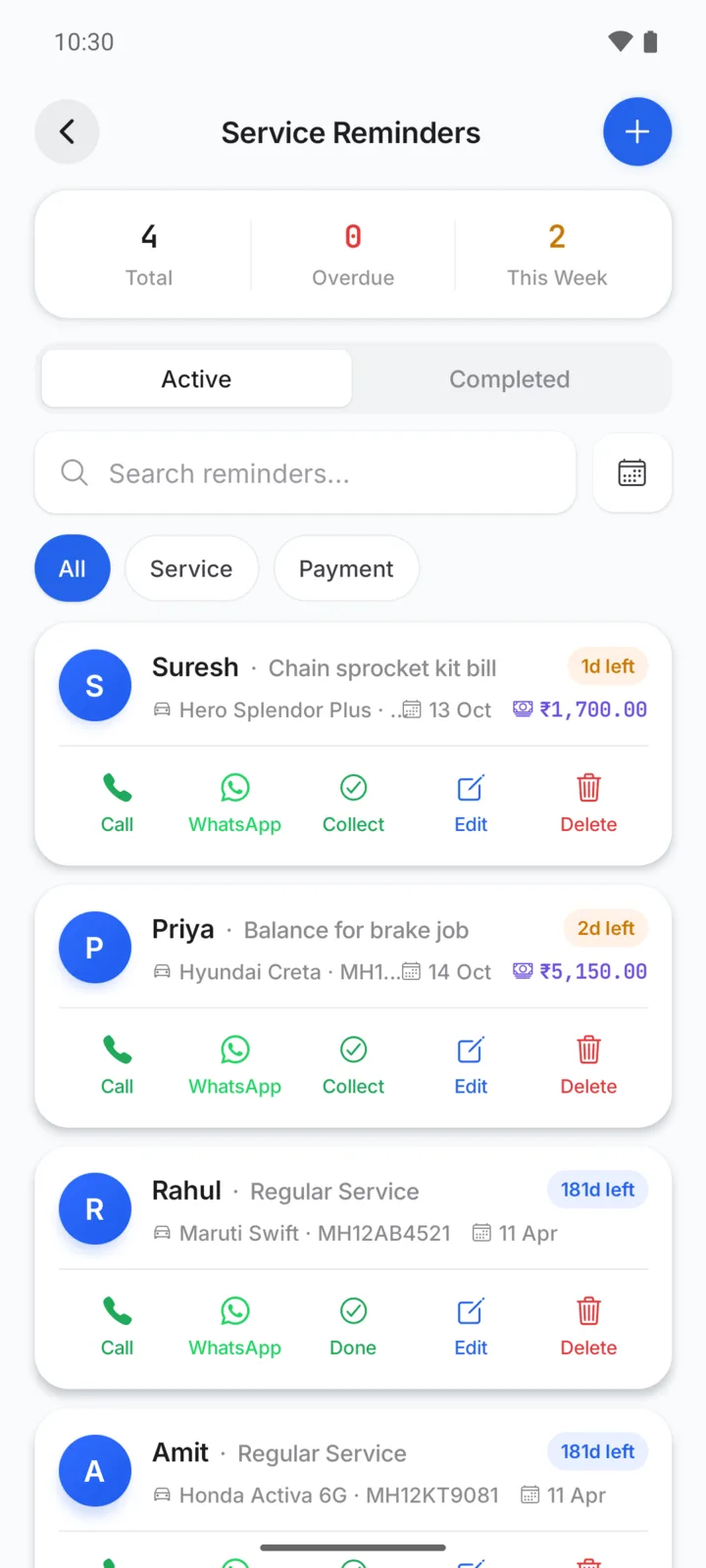
Tap the bell at the top of the Home screen, or go to Settings → Service Reminders. The top of the screen shows the Total, how many are Overdue, and how many are due This Week.
Set a service reminder while billing
When you make a bill with a vehicle selected, tick Service Reminder before you tap Create Bill. GarageBilling creates a "Regular Service" reminder for after 6 months or 5,000 km. Change either number if you like. See Make a bill.
Add a reminder yourself
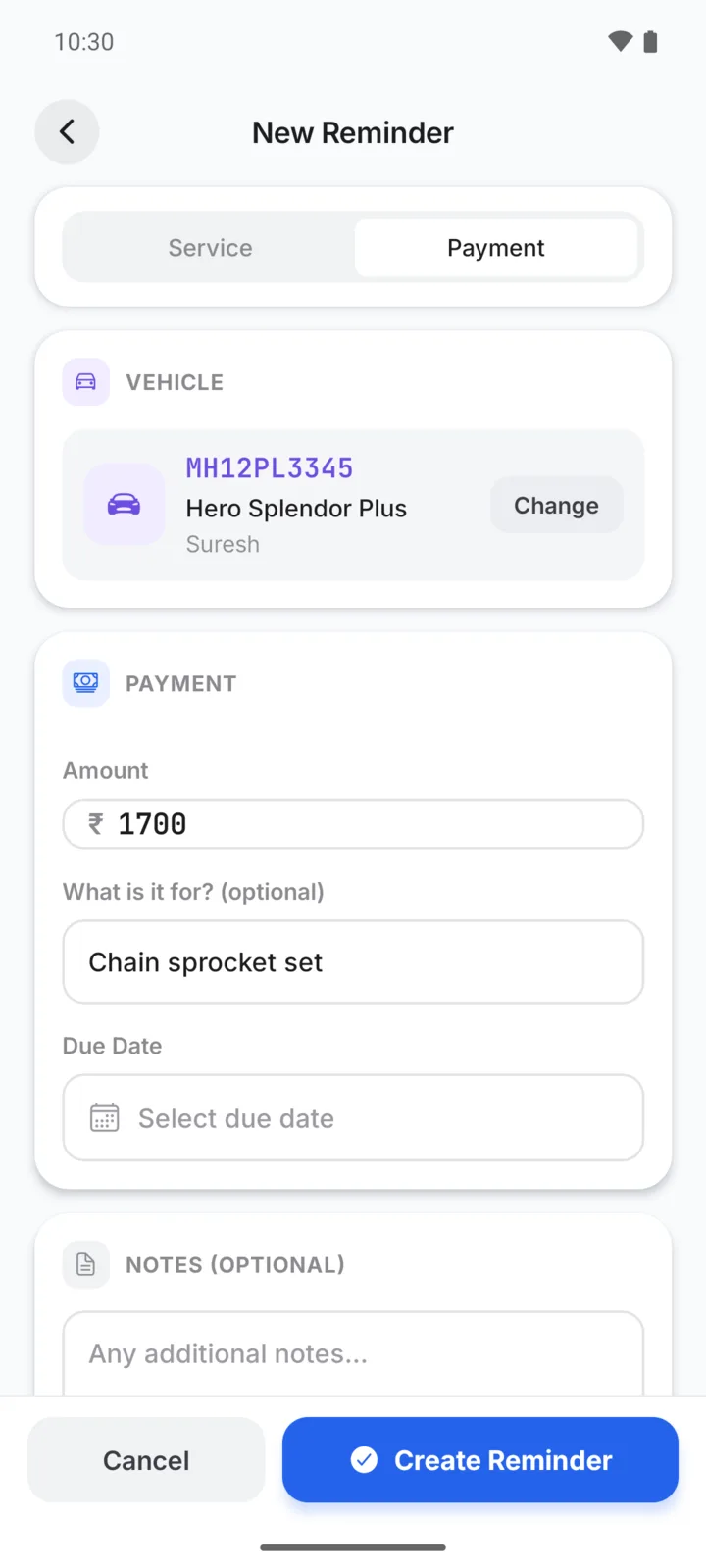
- On the reminders screen, tap +.
- Choose Service or Payment.
- Under Vehicle, search for the vehicle or customer and tap it. Every reminder is for a vehicle.
- Fill in the details:
- Service: the Service Type (type it, or tap a suggestion such as Oil Change), the last service date and km reading, and when the next service is due: after 3, 6 or 12 months or a date you pick, and after 3,000, 5,000 or 10,000 km or a reading you pick.
- Payment: the Amount, what it is for, and the Due Date.
- Tap Create Reminder.
Reminders can also be used for things like PUC or insurance renewal: type it as the service type.
Send a reminder on WhatsApp
Tap WhatsApp on the reminder. WhatsApp opens with the customer's chat and a ready message, such as:
Hi Rahul, this is a reminder from NS Auto. Your Maruti Swift (MH12AB4521) is due for Regular Service on 11 Apr 2027. Please visit us to book a slot. Thank you!
Read it, change it if you like, and tap send. Call opens your phone's dialler instead. Both need the customer's phone number.
When it's done
Tap Done (or Collect on a payment reminder) to move it to Completed. Completed reminders from the last 90 days are kept, where you can tap Restore to bring one back, or Remind to set up the same reminder again.
Marking a payment reminder as collected does not record the payment on the bill. Record it on the bill too. See Payments and dues.
Edit the WhatsApp messages
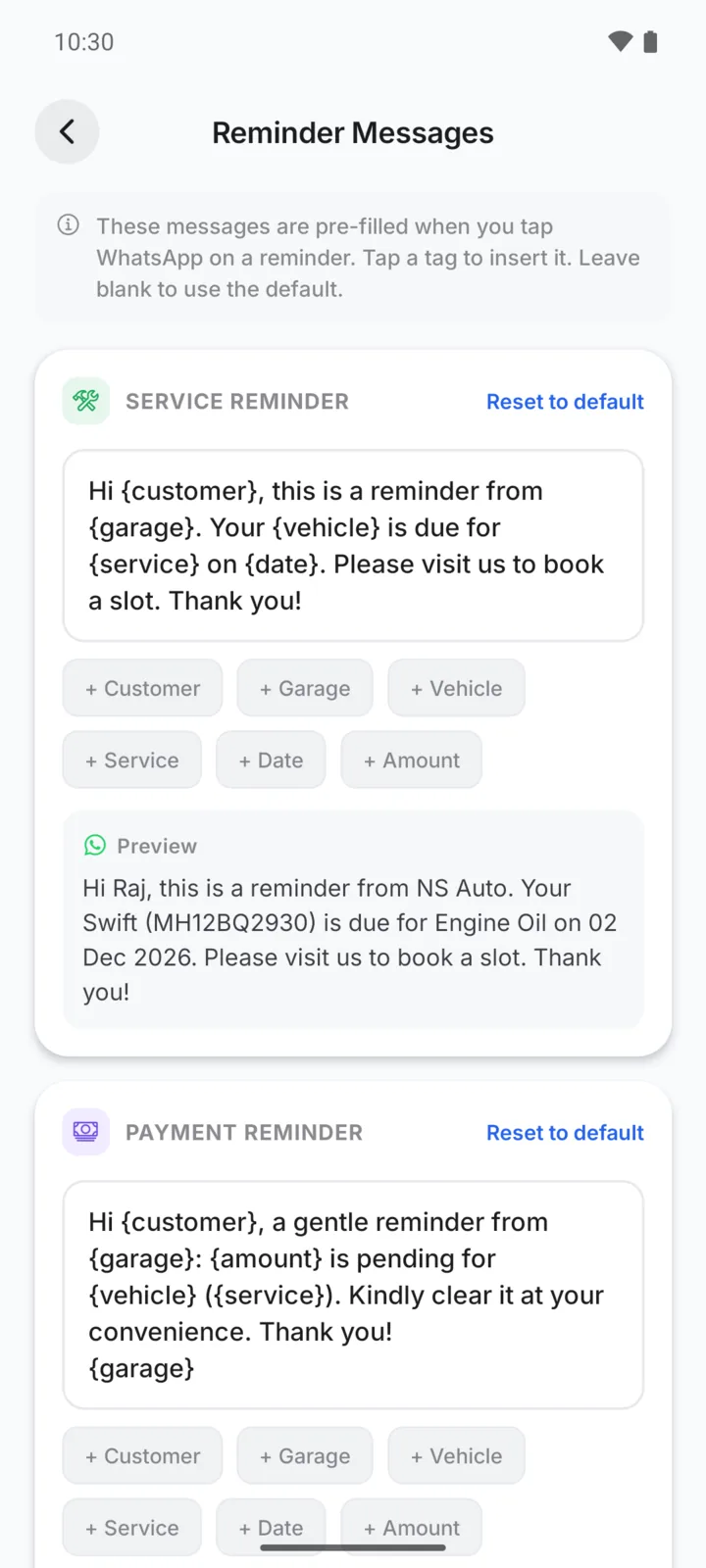
Go to Settings → Reminder Messages. There is one message for service reminders and one for payment reminders. Tap the tags, such as + Customer, + Vehicle, + Date or + Amount, to insert details that fill in for each customer. The Preview shows how it will look. Tap Save Changes, or Reset to default to go back to the original message.
Find a reminder
Search by customer, vehicle or service. Use All, Service and Payment to filter, and the calendar button to show today, this week or this month.