Payments and dues
How to record full and part payments on a GarageBilling bill, and how to find every customer who still owes you money.
GarageBilling keeps track of what each customer has paid and what is still due. You record a payment on the bill when the customer pays you, whether it is the full amount or part of it.
GarageBilling records payments; it does not collect them
The customer pays you the usual way: cash, UPI, card or bank transfer. You then note the payment on the bill in GarageBilling, so you always know who has paid.
Record a payment
Open the bill
Open the bill from the Bills tab, or straight after you create it.
Tap Record Payment
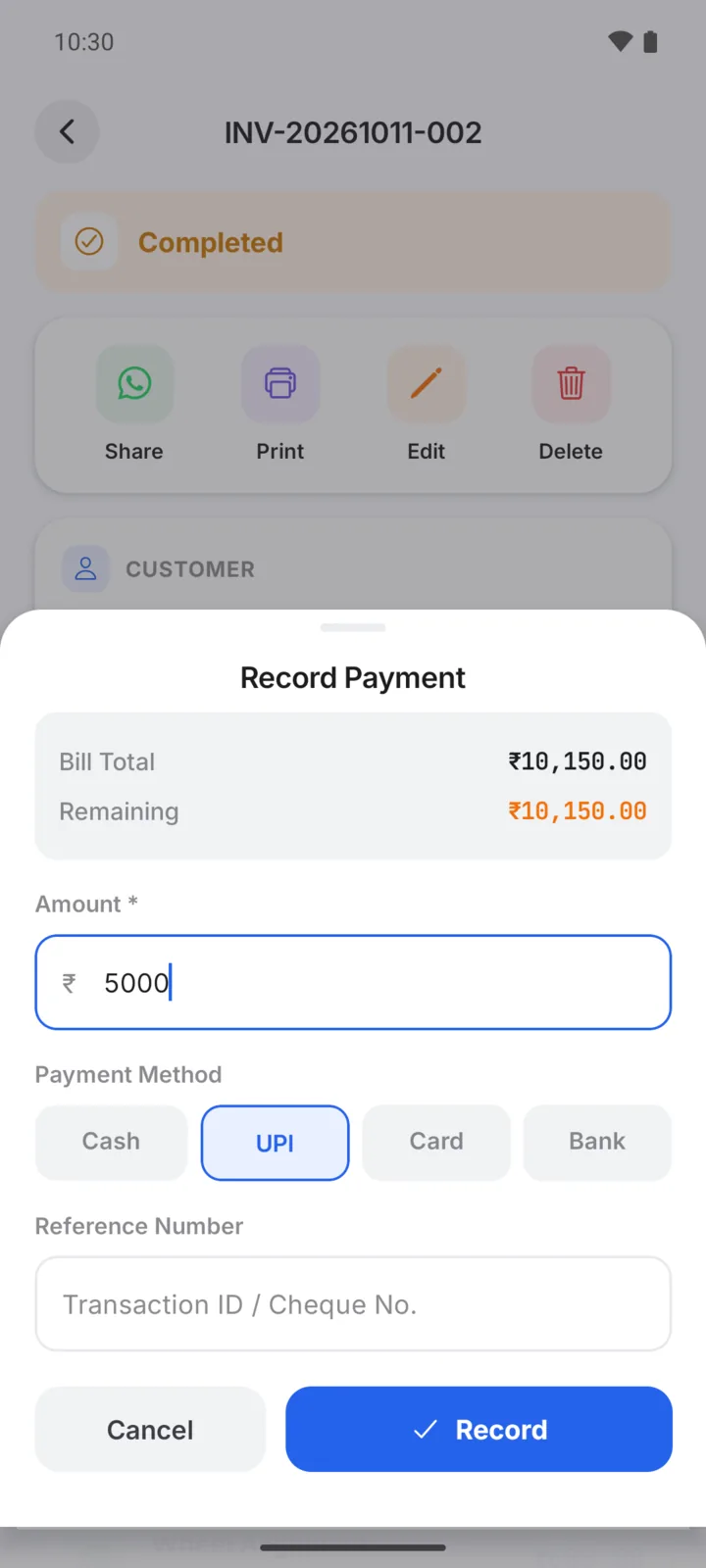
Tap Record Payment at the bottom. The Amount is filled in with what is still due.
Enter how they paid
Change the amount if the customer is paying only part of it. Choose the Payment Method: Cash, UPI, Card or Bank. Add a Reference Number, such as a UPI transaction ID, if you want to keep it.
Tap Record
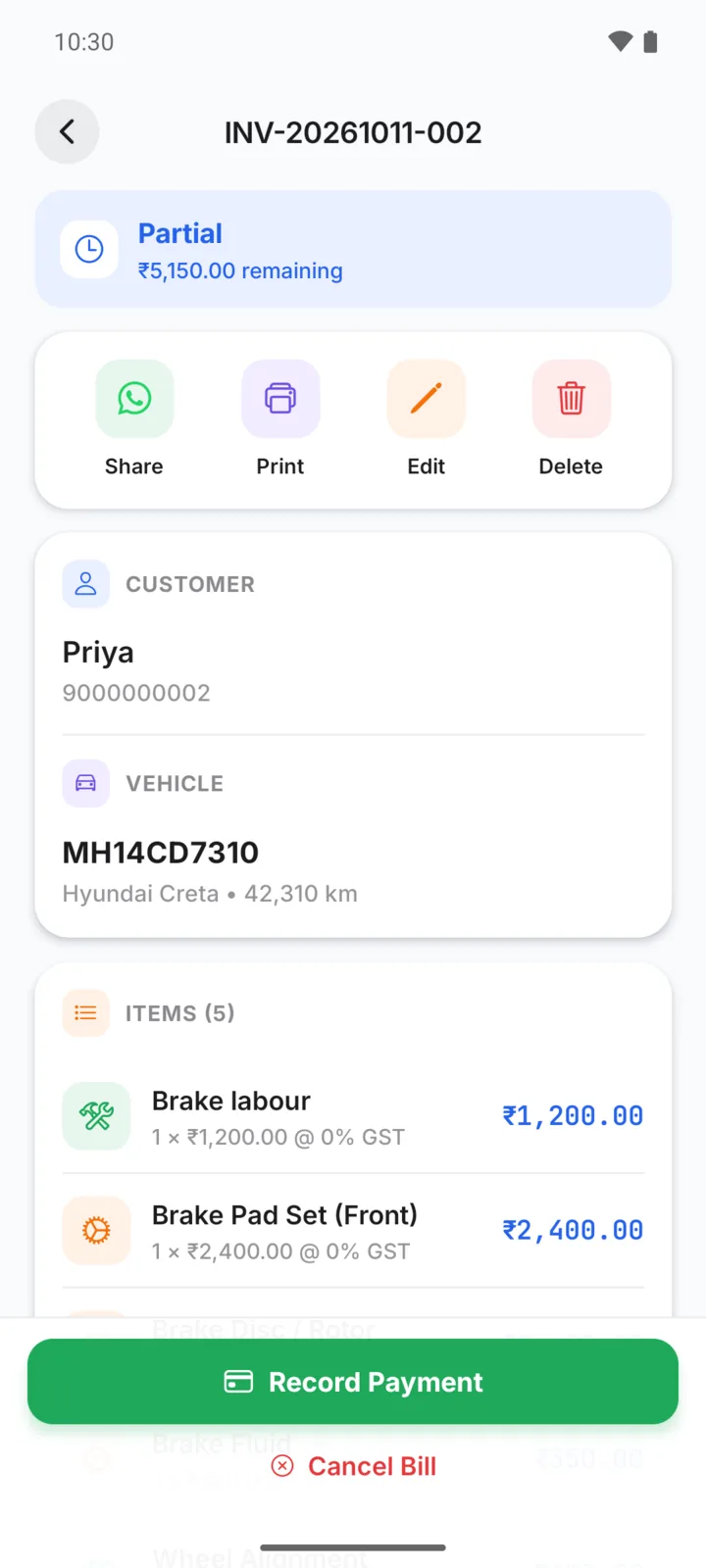
The payment appears under Payment History on the bill, with the date and method.
Full and part payments
| What the customer paid | What the bill shows |
|---|---|
| The full amount | Paid |
| Part of it | Partial, with the amount remaining |
| Nothing yet | Unpaid in the Bills list |
For example, Priya's Creta brake job came to ₹10,150. She paid ₹5,000 by UPI, so the bill shows Partial with ₹5,150 remaining. When she pays the rest, record a second payment for ₹5,150 and the bill becomes Paid.
A customer can pay in as many parts as they need. Each one is listed under Payment History.
Find who still owes you
- Pending payments report: open the Reports tab and tap Pending payments. It lists every bill that is Unpaid or Partial, with the Total Pending at the top and a count of bills overdue by 30+ days. Sort by Oldest First, Highest Amount or Recent, and tap a bill to open it.
- Bills tab: use the Unpaid and Partial filters.
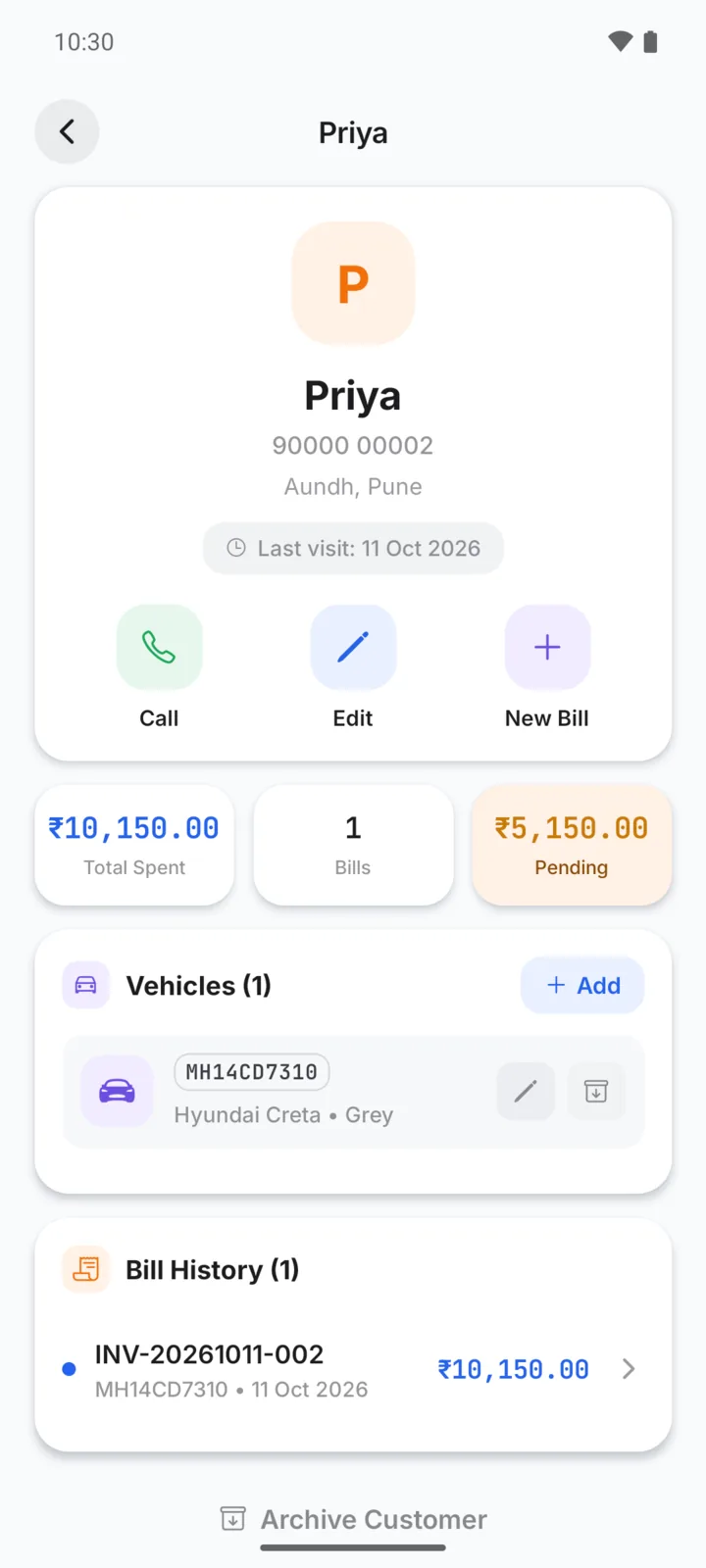
- Customer page: each customer's page shows what they have spent and what they still owe.
Remind the customer
To follow up, add a payment reminder. Its WhatsApp button opens a message with the amount, ready for you to send. See Reminders .
Marking a reminder as done does not record a payment. When the customer pays, record it on the bill as above.